![Sendmarc-Logo-Dark.png]](https://help.sendmarc.com/hs-fs/hubfs/Sendmarc-Logo-Dark.png?height=24&name=Sendmarc-Logo-Dark.png)
Prerequisites
- You must at the very least be an account-administrator to configure the integration
- You need an active Abnormal Security account with VendorBase access.
Step 1 - Add Sendmarc IP Addresses to Abnormal IP safelist
Before connecting to the Abnormal API, your Abnormal account must allow inbound API requests from the Sendmarc application servers. Please refer to Abnormal documentation here on how to set this up on your access token.
You will need to add the following IPs to the Abnormal IP safelist
- 20.101.184.175
- 20.101.186.244
- 20.126.184.33
Step 2 - Configure the integration in Sendmarc
The integration can be set up under the account - integrations tab
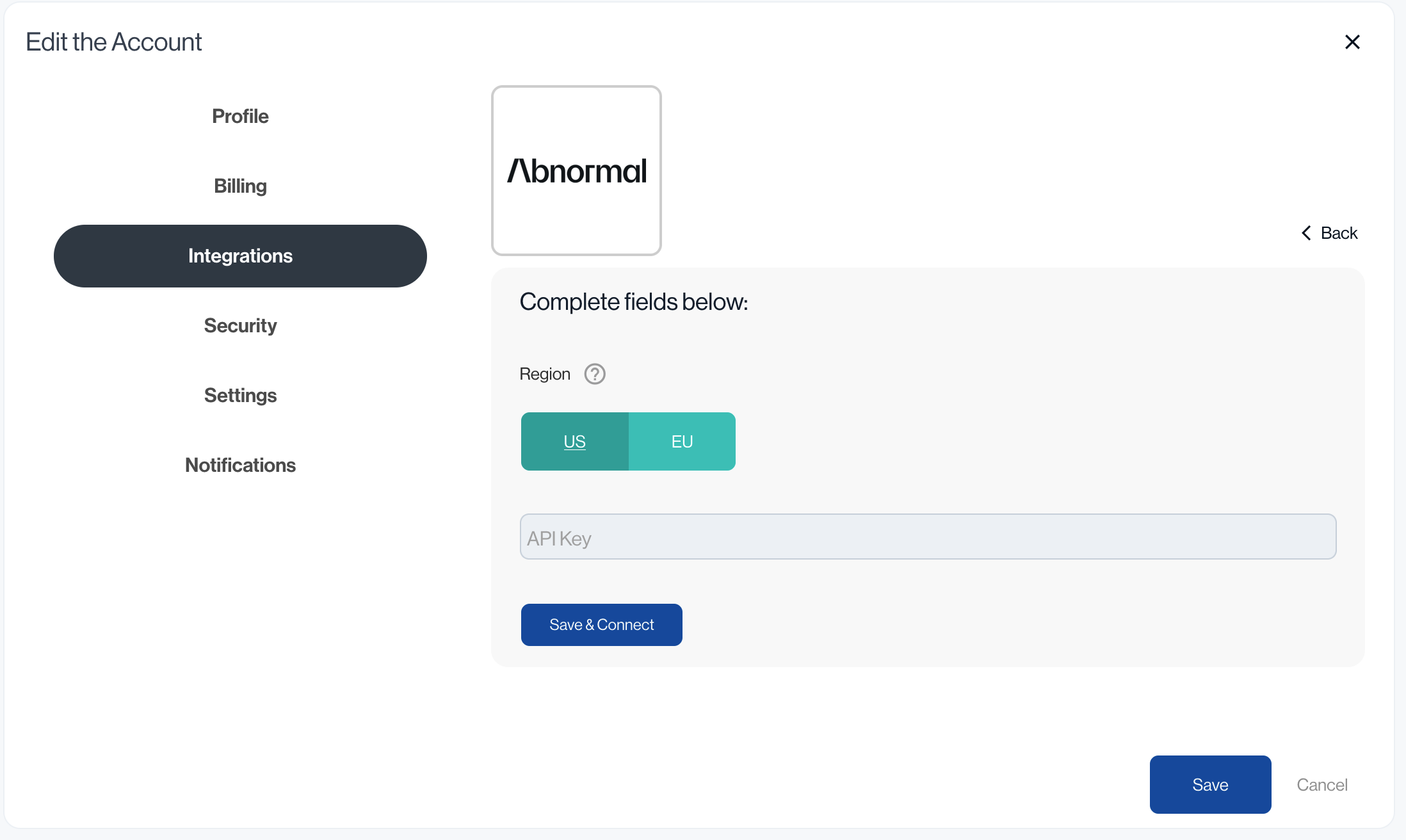
- Select the correct region for you Abnormal account. This is the region your Abnormal account is hosted on.
- Paste the Abnormal access token into the API key field
-
Click Save. Sendmarc will immediately validate the key against the Abnormal API.
- If validation fails, an error is shown beneath the API key field. Double-check the key and that IP whitelisting is complete.
- If validation succeeds, the integration is saved. The Vendors menu item should become available in the sidebar upon refresh.
Overview
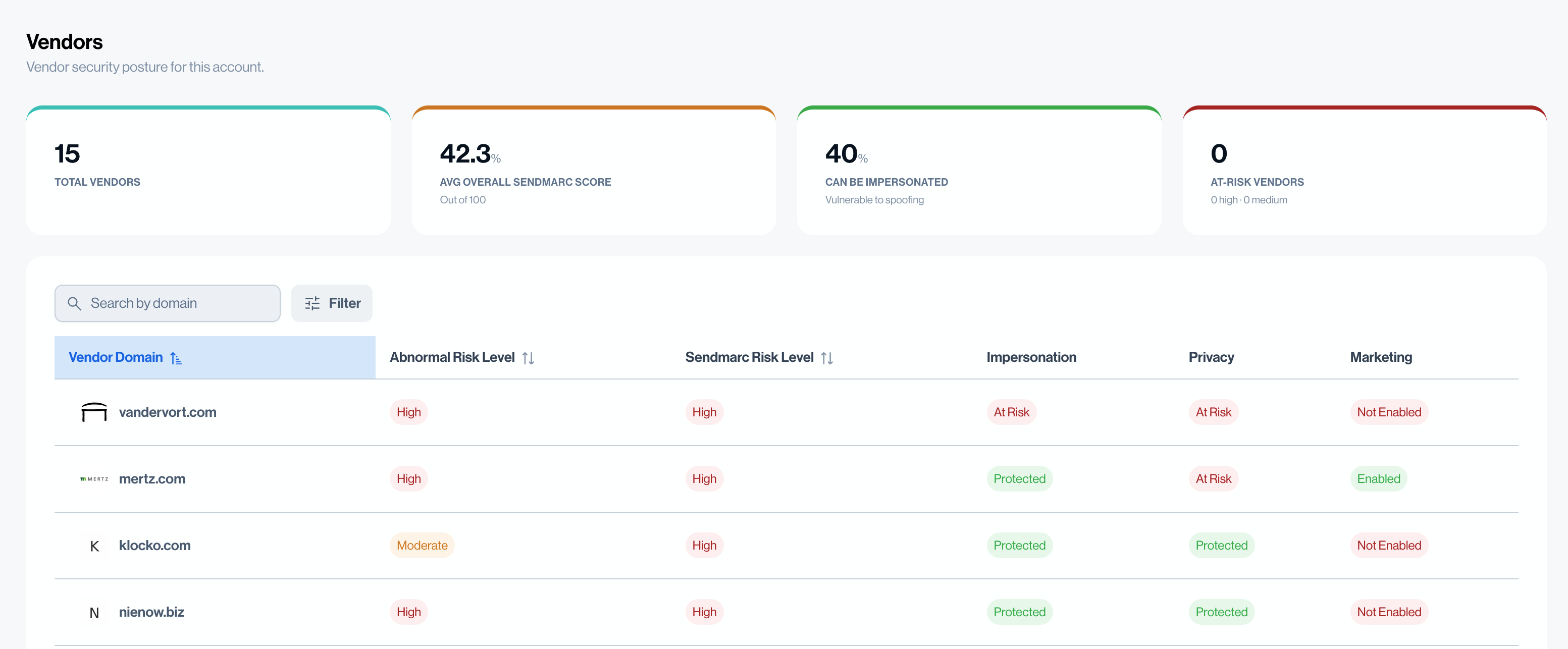
The vendor dashboard shows all vendor domains detected in your Abnormal VendorBase, enriched with Sendmarc's email-security scoring.
Summary Statistics
At the top of the dashboard, the summary statistics give a quick health overview of your vendor landscape:
|
Statistic |
What it means |
|
Total Vendors |
The total number of active vendor domains synced from Abnormal for this account. |
|
Average Overall Sendmarc Score |
The average Sendmarc overall email-security score across all vendors that have been enriched. Displayed as a number out of 100 — higher is better. |
|
Impersonation Risk (%) |
The percentage of vendors that could be impersonated by attackers. A vendor is considered impersonatable if its domain has no DMARC enforcement policy (i.e. DMARC is set to |
|
At-Risk Vendors |
The number of vendors with a High Sendmarc risk level (risk score > 50) and Medium Sendmarc risk level (risk score 26–50). These vendors represent the greatest immediate concern. |
Vendor List
Each row in the vendor table includes:
- Domain — the vendor's email-sending domain.
- Abnormal Risk Level — Abnormal's own risk classification (Low / Medium / High).
- Sendmarc Risk Level — Sendmarc's risk classification (Low / Medium / High).
- Impersonation —
At riskif DMARC policy isnoneor non-existent, else protected - Privacy —
At riskif MTA-STS is not set toenforceor non-existent, else protected - Marketing —
Not Enabledif BIMI not configured, else enabled