![Sendmarc-Logo-Dark.png]](https://help.sendmarc.com/hs-fs/hubfs/Sendmarc-Logo-Dark.png?height=24&name=Sendmarc-Logo-Dark.png)
Autotask (by Datto) is a professional services automation (PSA) platform widely used by managed service providers (MSPs) and IT service companies. It provides comprehensive tools for service desk ticketing, project management, contract management, billing, and time tracking — helping MSPs streamline operations and deliver consistent service to their clients.
Our integration with Autotask automates billing so MSPs can manage everything within a single platform. No more manual reconciliation or duplicated effort — once configured, your Sendmarc billing flows directly into Autotask.
Features
Account Mapping
Map Sendmarc accounts to Autotask companies, with optional contract selection for billing.
Product–Package Alignment
Map Autotask products to Sendmarc service packages so contract line items stay in sync.
Automated Billing
Contract services are set up automatically so billing stays accurate whenever packages change.
Creating an API User in Autotask
Before enabling the integration, you'll need to create a dedicated API user within your Autotask environment. Follow these steps:
- Log into your Autotask account as an administrator.
- Navigate to Admin > Resources (Users).
- Click New and select New API User.
- Fill in the required information:
First Name & Last Name Enter a descriptive name (e.g. Sendmarc API) Email Address A valid email for the API user Username Use the Generate Key button Password Use the Generate Secret button - Under Security Level, assign a dedicated security level with the permissions defined below.
- Set the API Tracking Identifier to Integration Vendor, then select Sendmarc from the dropdown.
- Click Save.
⚠️ Important
Copy and securely store the username and password immediately. These credentials are required to connect the integration within Sendmarc and cannot be retrieved later.
API User Security Level Permissions
We recommend creating a dedicated Security Level for the Sendmarc API user to limit the information accessible. The following permissions are required:
Companies & Contacts
| Module | View | Add | Edit | Delete |
|---|---|---|---|---|
| Companies / Accounts – CRM | ✓ | ✕ | ✕ | ✕ |
| Contacts | ✓ | ✕ | ✕ | ✕ |
Contracts
| Module | View | Add | Edit | Delete |
|---|---|---|---|---|
| Contracts | ✓ | ✕ | ✕ | ✕ |
| Contract Services | ✓ | ✓ | ✓ | ✓ |
Products / Inventory
| Module | View | Add | Edit | Delete |
|---|---|---|---|---|
| Products | ✓ | ✕ | ✕ | ✕ |
Enabling the Integration
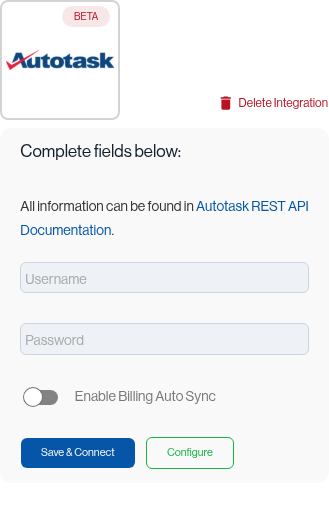
Partners can set up the integration from their main partner account. To establish a connection, you will need the following credentials from the API user you created in the previous step:
| Username | The username (key) of the API user created in Autotask |
| Password | The password (secret) associated with the API user |
The integration automatically discovers the correct Autotask zone (data centre) based on the provided credentials.
Once you've entered your credentials, click Save & Connect. If the credentials are invalid, an error will be displayed. On a successful connection, the zone URL is automatically discovered and stored.
💡 Good to know
Automatic billing sync is disabled by default. You can run a manual sync while configuring your account and product mappings. Once configuration is complete, enable the "Enable Billing Auto Sync" toggle so that any future billing changes are automatically pushed to Autotask.
Configuring the Integration
Mapping Accounts to Companies
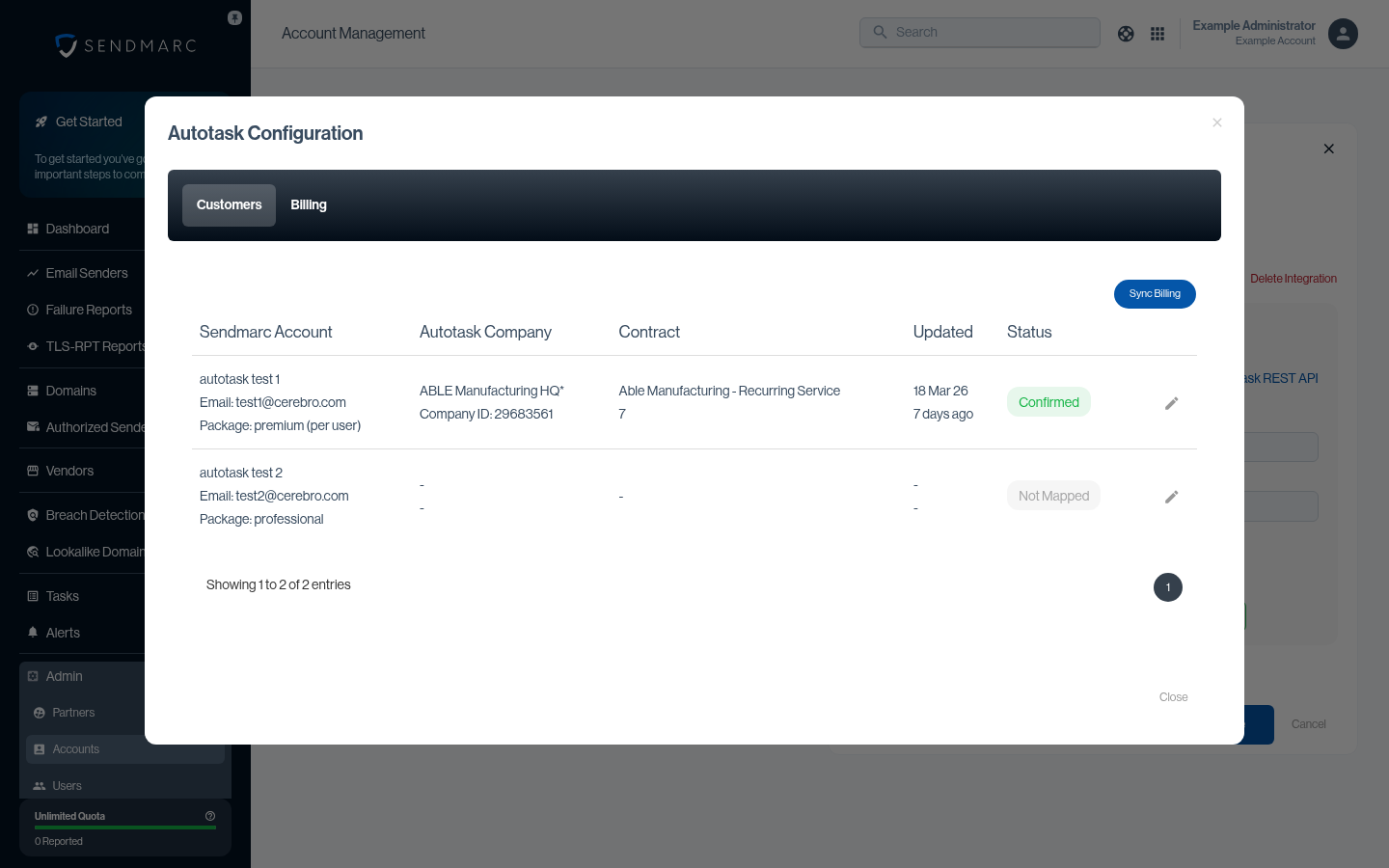
The Companies tab lets you map each Sendmarc account to a company in Autotask, along with an optional contract to use for billing.
On first load, the interface will attempt to auto-map companies to accounts based on the primary contact's email address. Note that auto-mapped entries still require your confirmation — click the thumbs-up icon next to each mapping to confirm it. The status should then change to "Confirmed".
Note: Each Autotask company can only be mapped to one Sendmarc account. Attempting to map the same company to multiple accounts will result in a validation error.
Mapping Packages to Products
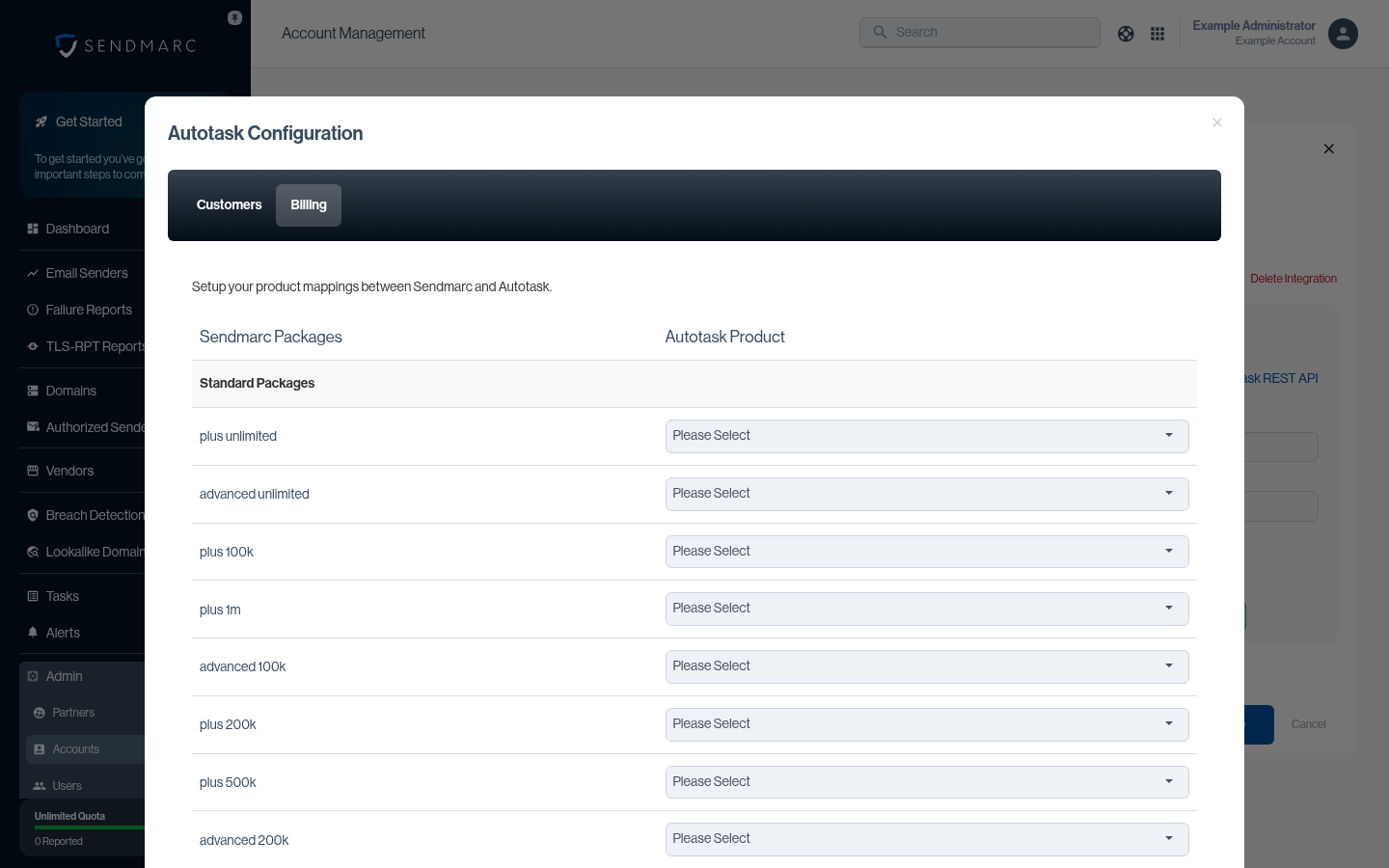
The Billing tab lets you map each Sendmarc package (available to the partner) to an Autotask product. The linked product is what Autotask will use as the contract service line item under the contract you selected for the company in the previous step.
Once all products are mapped, you can run an initial sync to add the products/packages linked to each account as a contract service on the selected contract.
Whenever an account undergoes a package change, a request is automatically sent to Autotask to update the contract service linked to the relevant company for billing purposes.
Service Tickets
🚧 Service desk ticketing for Autotask is not yet available. This feature is planned for a future release.
Need Help?
support@sendmarc.com is standing by to assist!